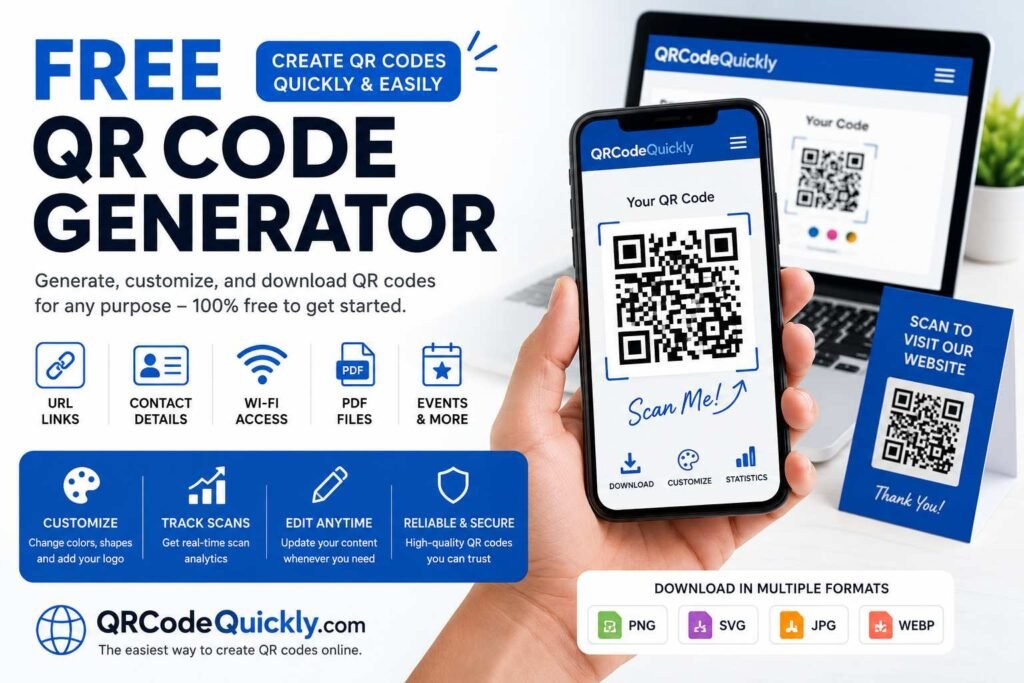
A free QR code generator is a powerful tool that transforms websites, contact information, Wi-Fi credentials, text, social media profiles, business pages, and other digital content into scannable QR codes. Instead of asking someone to type a long URL or manually enter contact details, you can present a simple, scannable square that any smartphone can read in seconds.
QR codes serve as a vital bridge between the offline and online worlds. Businesses use them on packaging, menus, business cards, posters, receipts, flyers, product displays, and advertisements. Individuals rely on them to share Wi-Fi credentials, event details, documents, or personal profiles.
If you are looking for a feature-packed tool, QRCodeQuickly.com offers both static and dynamic QR code generation, design customization, scan statistics, and customizable landing pages—all without requiring any coding knowledge.
What Is a QR Code?
QR stands for Quick Response. A QR code is a two-dimensional barcode that stores data in a visual pattern of black-and-white squares. When a smartphone camera or scanning app reads the pattern, it decodes the information and immediately executes the associated action.
Originally developed for industrial applications, QR technology exploded in popularity once modern smartphones built native QR scanning directly into their default camera apps.
Today, a QR code instantly connects physical objects to digital destinations. For instance:
- A restaurant table menu can feature a QR code that opens an interactive digital menu.
- A physical business card can direct prospective clients straight to a digital vCard profile.
This versatile technology benefits marketers, educators, event organizers, retailers, restaurants, and everyday users alike.
Why Use a Free QR Code Generator?
The primary advantage of a free QR code generator is speed and convenience. You do not need any programming knowledge or graphic design experience to build one.
A quality generator simplifies the entire process into five quick steps:
- Choose the QR code type (URL, vCard, Wi-Fi, etc.).
- Enter your information.
- Generate the code.
- Customize its visual appearance.
- Test the final scan.
A free tool is ideal for individual projects, small business promotions, classroom activities, events, printed flyers, or website links.
How Does a QR Code Generator Work?
A QR code generator translates text or link data into a matrix pattern that optical sensors can decode.
When you input a web address, the tool converts those characters into binary data represented by the small squares in the grid. When scanned, the phone reverses this process, reading the grid back into text or a web link and prompting the user to open it.
The entire process is completely automated, taking less than a second to render.
Step-by-Step: How to Create a QR Code for Free
Step 1: Decide What Content to Share
First, determine the precise action you want the scan to trigger. Common choices include:
- Website URLs & Landing Pages
- vCard Contact Information
- Wi-Fi Network Credentials
- Phone Numbers, SMS, or WhatsApp Chats
- PDF Documents & Download Links
Step 2: Select the QR Code Type
Select the matching format inside your generator. Choosing the correct type ensures the scanning device opens the proper application (e.g., launching the phone’s native Wi-Fi settings instead of a web browser).
Step 3: Enter Your Details
Input your content accurately. If you are creating a URL QR code, double-check the web address—a single typo will break the link for every physical print.
Step 4: Generate the Code
Click generate to instantly render the matrix pattern. Most modern platforms provide an immediate real-time preview.
Step 5: Customize the Design
Enhance brand recognition by customizing visual features:
- Change eye and module shapes.
- Apply brand colors or gradients.
- Embed a company logo in the center.
Step 6: Download in High Quality
Export your code in an appropriate file format:
- PNG: Ideal for digital displays, email signatures, and web use.
- SVG / Vector: Best for professional printing, as it scales infinitely without pixelation or loss of clarity.
Step 7: Test Before Printing
Always test the QR code on multiple devices (iOS and Android) prior to publishing or mass-printing. Ensure it scans quickly and directs users to the intended destination.
Dynamic vs. Static QR Codes
| Feature | Static QR Codes | Dynamic QR Codes |
| Data Storage | Encoded directly inside the pattern | Uses a short redirect URL |
| Editable Target? | No (Fixed permanently) | Yes (Change destination anytime) |
| Scan Analytics | Not available | Supported (Tracks scans, dates, locations) |
| Best Used For | Fixed data (Wi-Fi, permanent text) | Marketing campaigns, menus, active links |
Static QR Codes
Static codes embed the raw data directly into the pattern itself. Once created, the destination cannot be altered. They work permanently as long as the underlying target (such as a Wi-Fi password or personal text) does not change.
Dynamic QR Codes
Dynamic codes store a short redirection link instead of the final destination. This allows you to update the target URL behind the scenes at any time without reprinting physical materials. Additionally, dynamic codes enable scan tracking and analytics.
Is a Free QR Code Permanent?
- Static QR Codes: Never expire. Because the data is permanently encoded in the image pattern, it will work indefinitely as long as the destination itself remains active.
- Dynamic QR Codes: Depend on the redirection service provided by the generator platform. Ensure you check the service terms regarding account activity or redirection limits before printing dynamic codes for permanent displays.
Key Features of QRCodeQuickly
If you are searching for an all-in-one platform, QRCodeQuickly offers a full suite of features for individuals and businesses:
- Dynamic & Static Creation: Choose between flexible, editable codes or permanent static links.
- Advanced Customization: Adjust colors, dot styles, and corner shapes to align with your brand identity.
- Logo Integration: Place custom center logos inside the QR code pattern safely.
- Real-time Analytics: Track total scans, performance over time, and engagement metrics.
- No-Code Landing Pages: Build mobile-optimized landing pages directly within the tool.
- Multiple Export Formats: Download print-ready PNG and vector SVG files.
Best Practices for QR Code Design
- Maintain Strong Contrast: Always use a dark pattern over a light background. Inverting colors (light pattern on a dark background) can prevent many default camera scanners from recognizing the code.
- Preserve the Quiet Zone: Keep a clean margin of empty space around the border of the QR code so scanners can easily isolate it from surrounding graphics.
- Size Logos Appropriately: Center logos should never obscure more than 20–30% of the total pattern area.
- Include a Clear Call-to-Action (CTA): Frame your code with clear instructions, such as “Scan to View Menu” or “Scan for 10% Off”, to encourage engagement.
Frequently Asked Questions
What is a free QR code generator?
It is an online tool that converts data (like URLs, text, contact details, or Wi-Fi settings) into a scannable QR code grid without requiring payment for basic creation.
Do static QR codes expire?
No. Static QR codes contain the raw data directly within their visual structure, so they never expire.
Can I edit a QR code’s link after printing it?
Only if you created a Dynamic QR code. Static QR codes cannot be edited once generated.
What is the best file format for printing QR codes?
SVG (Scalable Vector Graphics) is the industry standard for commercial printing because it can be resized to any dimension without losing crispness or scanning reliability.
Summary
Whether you are launching a marketing campaign, sharing business contacts, or providing instant Wi-Fi access, QR codes offer a seamless connection between physical interactions and digital content. By understanding the distinction between static and dynamic formats, maintaining proper visual contrast, and utilizing tools like QRCodeQuickly.com, you can create functional, high-performing QR codes for any purpose.