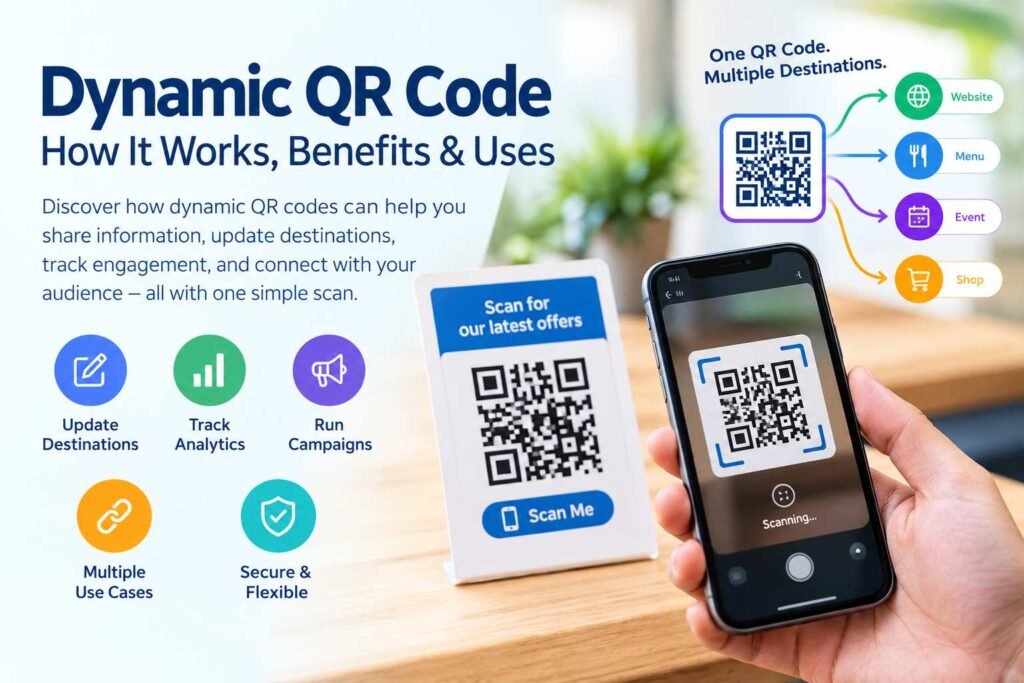
A Dynamic QR Code is a flexible way to share digital information, connect customers to online content, and improve marketing campaigns without needing to print a new QR code every time a destination changes. Unlike a traditional static QR code, a dynamic QR code can direct users through a manageable destination link, allowing the linked content to be updated while the printed code remains the same, depending on the service and setup.
From business cards and restaurant menus to marketing campaigns and event registrations, dynamic QR codes have become a useful tool for businesses, creators, and everyday users. They make it easier to manage digital experiences, measure engagement through supported analytics, and adapt shared content over time.
If you want to understand how dynamic QR codes work, how they differ from static QR codes, and how to create one for your website or business, this guide will walk you through the essential details.
In this article, we’ll explore the meaning of dynamic QR codes, their advantages, practical applications, limitations, security considerations, and step-by-step creation tips. We’ll also answer frequently asked questions to help you decide whether a dynamic QR code is suitable for your needs.
What Is a Dynamic QR Code?
A dynamic QR code is a QR code designed to direct users to a destination that can be managed or changed through an intermediary service. Rather than encoding the final content directly into the QR pattern, many dynamic QR code systems encode a URL that redirects users to the destination selected by the code owner.
For example, imagine that a restaurant prints a QR code on its menus. Initially, the code directs customers to a digital food menu. Later, the restaurant updates its menu URL through its QR code management platform. If the platform supports destination editing, the restaurant can change the destination without replacing the printed QR code.
This flexibility is one of the main reasons businesses use dynamic QR codes.
However, the exact features depend on the QR code provider. Some platforms offer editable destinations, scan analytics, custom branding, campaign management, expiration settings, and other tools. These features are not automatically included in every dynamic QR code.
A dynamic QR code is therefore best understood as a QR code connected to a manageable digital destination, rather than a guarantee of unlimited editing or permanent availability.
How Does a Dynamic QR Code Work?
Understanding the basic process helps explain why dynamic QR codes are useful.
A typical dynamic QR code workflow includes the following steps:
- Create a destination: The owner chooses a website, landing page, digital menu, form, or other online resource.
- Generate a managed QR URL: The QR platform creates a redirect or tracking URL associated with the campaign.
- Encode the URL: The generated URL is converted into a QR code image.
- Print or share the code: The QR code is placed on marketing materials, packaging, signage, or digital content.
- Scan the code: A user scans the QR code using a compatible smartphone.
- Redirect to the destination: The QR management service processes the request and sends the user to the configured destination.
If the destination needs to change later, the owner may be able to update it through the platform’s dashboard. The QR code itself may remain unchanged because it still contains the managed URL.
The precise process can vary by provider, so review how a particular service handles redirects, analytics, account access, and destination changes.
Dynamic QR Code vs. Static QR Code
The difference between dynamic and static QR codes is primarily how the destination information is managed.
A static QR code generally stores the information directly in the encoded pattern. Once generated, its encoded content cannot be edited without creating a new QR code. A dynamic QR code often stores a managed URL that can lead to a destination controlled through a service.


Static QR Code
A static QR code is useful when the information is unlikely to change. Examples include:
- A QR code containing plain text
- A QR code with a fixed email address
- A QR code that stores a Wi-Fi configuration
- A QR code linking directly to a permanent website address
- A QR code for a fixed contact card
Static QR codes generally do not require an ongoing redirect service to resolve their encoded information. However, any analytics or additional functionality depends on the specific implementation.
Dynamic QR Code
A dynamic QR code is useful when the destination may change or when a business wants to manage campaigns through a service.
Common applications include:
- Marketing landing pages
- Restaurant menus
- Product promotions
- Event registration
- Business campaigns
- Editable digital content links
Dynamic QR codes often depend on the provider’s redirect service. If that service is discontinued, restricted, or unavailable, the code may no longer function as intended.
Comparison Table
| Feature | Static QR Code | Dynamic QR Code |
|---|---|---|
| Destination editing | Usually requires a new code | Often supported through a platform |
| Redirect service | Not necessarily required | Commonly required |
| Analytics | Not inherent | Often available through provider |
| Printed code reuse | Limited when content changes | Often possible for managed destinations |
| Ongoing service dependency | Usually lower | Often higher |
| Best use | Fixed information | Manageable campaigns and destinations |
Neither type is automatically suitable for every situation. Choose based on the information being shared, how often it may change, and whether you need management or measurement features.
Key Benefits of Using a Dynamic QR Code
Dynamic QR codes are popular because they can support more adaptable digital experiences. Their usefulness depends on how the code is configured and what features the provider offers.
1. Update the Destination Without Reprinting
One of the most important advantages is the ability to update the destination through a compatible management platform.
Imagine a business that prints thousands of brochures containing a QR code. If the original promotional page changes, the business may be able to update the destination in its dashboard rather than redesigning and printing every brochure.
This can be useful for:
- Seasonal marketing campaigns
- Restaurant menu updates
- Event information
- Product promotions
- Business landing pages
The code itself is not necessarily editable. Instead, the managed destination associated with it is updated.
2. Support Marketing Analytics
Many dynamic QR code services offer scan-related analytics. These may include information such as scan counts, approximate locations, device categories, timestamps, or campaign activity.
Analytics can help businesses understand how their QR campaigns are being used. For example, a retailer might compare scans from printed flyers with scans from product packaging.
However, analytics accuracy and availability vary. A scan count should not automatically be interpreted as the number of unique people who viewed a page. Different platforms use different measurement methods, and privacy restrictions can affect the data.
When evaluating an analytics feature, review the provider’s documentation and privacy practices.
3. Reduce the Need for Repeated Printing
Printed QR codes can appear on materials that are expensive or inconvenient to replace. A dynamic code can help reduce reprinting when the destination changes.
Examples include:
- Outdoor signs
- Product packaging
- Business cards
- Printed brochures
- Retail displays
- Conference materials
This benefit is strongest when the QR code is placed on durable materials and the destination changes periodically. It does not eliminate all printing needs, particularly if the design itself must be changed.
4. Support Campaign Management
Businesses may create different QR codes for separate marketing campaigns. A management platform can make it easier to organize these codes, update destinations, and review available campaign data.
For example, a company might use separate QR codes for:
- A social media advertisement
- A printed magazine promotion
- A storefront poster
- A direct-mail campaign
Separate codes can help distinguish campaign sources when analytics are supported. Use clear naming conventions so your team can identify each code later.
5. Offer Flexible Digital Experiences
A business may want to direct users to different content as its services evolve. A managed QR code can support this type of flexibility when the provider allows destination changes.
For example, a fitness studio could use a QR code on a poster to direct users to its current class schedule. Later, the studio could update the destination to a registration page or a new schedule.
The customer scans the same printed code, while the business manages the destination through its platform.
Common Uses of Dynamic QR Codes
Dynamic QR codes can be applied across many industries. Their usefulness often depends on whether users need access to information that changes over time.
1. Restaurant Menus
Restaurants can place dynamic QR codes on tables, menus, window displays, or promotional materials.
A QR code may direct customers to a digital menu, ordering page, reservation system, or special offer. If the destination changes, the restaurant may be able to update the link through its management platform.
When creating a restaurant QR code, make sure the destination loads quickly on mobile devices and that customers can access essential menu information without unnecessary obstacles.
2. Business Cards
A dynamic QR code can be used on a printed business card to direct people to a professional profile, company website, contact page, or portfolio.
This approach can be useful for professionals whose online information changes. Instead of reprinting cards whenever a website address or landing page changes, the QR destination may be updated.
Keep the code large enough to scan comfortably and ensure that the destination is mobile-friendly.
3. Product Packaging
Brands can use QR codes on product packaging to provide customers with additional information.
Potential destinations include:
- Product instructions
- Warranty registration
- Customer support
- Demonstration videos
- Product details
- Sustainability information
The information should be relevant to the product and remain accessible for as long as the packaging is in circulation.
Do not rely on the QR code as the only way to provide essential safety or legally required information.
4. Event Registration
Event organizers can use QR codes on posters, invitations, and digital promotions to direct people to registration forms.
If the event details or registration page changes, a manageable QR destination may make updates easier. Organizers should test the code before publishing it and ensure the registration page works on common mobile devices.
For events with check-in requirements, use a QR system designed for that purpose rather than assuming every generic QR generator provides attendance tracking.
5. Real Estate Marketing
Real estate professionals may place QR codes on property flyers, signage, and brochures. The destination could include a property listing, virtual tour, contact form, or appointment page.
A managed destination can be useful when a property listing changes or a campaign ends. However, agents should ensure that expired listings are handled appropriately and that users are not redirected to misleading or outdated information.
6. Educational Materials
Schools, educators, and training organizations can use QR codes to link printed materials to online resources.
For example, a worksheet might include a code leading to a video lesson, supplementary reading, or an online exercise.
Teachers should check that the linked content is appropriate for the intended audience and that students can access it through the available devices and network conditions.
How to Create a Dynamic QR Code
Creating a dynamic QR code usually involves choosing a service, selecting a destination, customizing the code if needed, and testing it before sharing.
The exact interface differs between providers, but the general process is similar.
Step 1: Choose a QR Code Generator
Select a QR code platform that explicitly supports dynamic codes. Review its features, pricing, limitations, and account requirements before creating a campaign.
If you are using QRCodeQuickly’s Dynamic QR Code page , review the available options and the service’s current functionality before proceeding.
Look for the features that matter to your project, such as destination editing, analytics, code management, and supported QR types.
Step 2: Select the Content Type
Choose what you want users to access after scanning the code.
Possible options include:
- Website URL
- Landing page
- Digital menu
- Contact information
- Registration page
- Social media profile
A URL-based dynamic QR code is commonly used when the goal is to direct people to a website or online resource.
Make sure the destination is correct and accessible before generating the code.
Step 3: Enter Your Destination URL
Enter the web address you want the QR code to direct users to. Check that the URL is complete and uses the intended domain.
The actual URL used in a dynamic QR code may be a provider-managed redirect address rather than the final destination itself.
Before continuing, verify that the destination does not contain unnecessary errors, broken links, or inaccessible content.
Step 4: Customize the QR Code
Some platforms allow users to customize the appearance of their QR code.
Customization options may include:
- Colors
- Shapes or frame styles
- Logos
- Call-to-action text
- Download formats
When customizing, prioritize scan reliability. Strong contrast between the code and background is important, and decorative elements should not interfere with the encoded pattern.
Avoid using colors that are too similar, excessively complex designs, or logos that cover essential QR modules.
Step 5: Generate the Code
After entering the required information, follow the platform’s instructions to generate the QR code.
Depending on the service, you may need to create an account, select a plan, or confirm the destination before the code becomes active.
Review the generated code and any settings associated with it. Save access to your management dashboard if you intend to update the destination later.
Step 6: Test the QR Code
Testing is an essential part of the creation process. Do not assume that a generated QR code will work correctly simply because the image appears normal.
Test the code using more than one compatible smartphone if possible. Check that:
- The code scans easily.
- The correct destination opens.
- The page loads on mobile devices.
- The redirect works over a normal internet connection.
- Any campaign parameters are handled correctly.
If the code will be printed, test a sample at the intended physical size before producing a large quantity.
Step 7: Download and Share
Download the QR code in a format appropriate for your intended use. A vector format may be helpful for certain print applications, while a high-resolution raster image may work for digital sharing.
Use the code on your chosen material and keep a copy of the original design. If the platform supports campaign management, organize the code under a clear name.
Check the code periodically after publication, particularly when it directs users to important business information.
Dynamic QR Code Design Best Practices
Creating a QR code is only one part of the process. How you design, place, and maintain the code can affect how easily people scan it and whether they reach the intended destination.
Use Strong Contrast
QR codes need sufficient contrast between the dark and light areas of the pattern. A dark code on a light background is a common choice because it is easy to recognize.
Avoid backgrounds with complex patterns that make the code difficult to distinguish. If you use a colored QR code, test it on the actual background before publishing.
Choose an Appropriate Size
The QR code should be large enough for users to scan comfortably from the expected distance.
A code on a small business card may need different dimensions from one printed on a large poster. The appropriate size depends on the scanning distance, printing quality, code complexity, and scanner capabilities.
Test the code in its intended environment rather than relying on a single desktop preview.
Leave a Clear Margin
QR codes require a surrounding area of separation, commonly referred to as the quiet zone. Avoid placing text, graphics, or other design elements too close to the code.
A clear margin helps scanning systems distinguish the QR code from surrounding content.
Avoid Excessive Customization
Logos, colors, and decorative frames can make a QR code more visually attractive, but they should not compromise readability.
If you add a logo, ensure it does not cover too much of the code. Test the final design on multiple devices and at the intended size.
Add a Clear Call to Action
People may not know what a QR code does unless you provide context. A short call to action can explain what users should expect.
Examples include:
- Scan to view our menu
- Scan to register
- Scan to explore the collection
- Scan to visit our website
- Scan for product information
Use accurate language. If the QR code leads to a registration form, do not describe it as a menu or a payment page.
Are Dynamic QR Codes Free?
The cost of a dynamic QR code depends on the provider and the features included in its service.
Some platforms may offer limited free functionality, while others require a paid plan for features such as destination editing, analytics, multiple campaigns, or advanced management tools.
Before selecting a service, consider the following:
| Consideration | Why It Matters |
|---|---|
| Number of QR codes | Determines whether the service supports your campaign volume |
| Destination editing | Important if you need to change the link later |
| Analytics | Useful if you want to measure campaign activity |
| Scan limits | May affect campaigns with high usage |
| Subscription terms | Helps you understand ongoing costs |
| Account access | Important for managing codes over time |
| Service availability | Affects whether redirects continue to work |
Do not assume that a QR code advertised as free includes unlimited scans, permanent hosting, or unrestricted editing.
Read the provider’s current pricing and terms before using a dynamic code for a long-term printed campaign.
Do Dynamic QR Codes Expire?
A dynamic QR code does not inherently have a universal expiration date. However, its continued operation may depend on the service that manages its destination.
A code may stop working or become restricted if:
- The provider suspends or ends the service.
- A subscription expires and the provider limits functionality.
- A scan limit is reached.
- The destination is disabled.
- The account is closed.
- The redirect service becomes unavailable.
These conditions vary by platform. A dynamic QR code should not be treated as permanently active without checking the provider’s terms.
If you print a QR code on long-lasting materials, select a provider whose service availability and account requirements suit the expected lifespan of your campaign.
Can You Edit a Dynamic QR Code After Printing?
In many cases, yes. One of the main purposes of a dynamic QR code is to allow the destination associated with the code to be updated through a compatible platform.
For example, a business could print a QR code directing customers to a promotional page. Later, the business might change the destination to a product collection or a new offer.
The QR pattern on the printed material remains the same, but the destination managed by the provider changes.
The ability to edit a code depends on the specific service, QR type, and account permissions. Some providers may limit editing or require a particular subscription.
Always verify that the updated destination is correct by scanning the existing printed code.
Dynamic QR Code Security Considerations
QR codes can be convenient, but users and businesses should consider security when creating or scanning them.
A QR code may redirect users to a website that requests personal information, login credentials, or payment details. The visual appearance of a QR code does not guarantee that its destination is trustworthy.
Best Practices for Businesses
- Use a domain you control or a reputable service.
- Review the destination before publishing the QR code.
- Keep your QR management account secure.
- Use strong, unique passwords.
- Enable multi-factor authentication when available.
- Monitor destination changes.
- Avoid redirecting users to misleading pages.
- Review your provider’s data collection and privacy policies.
Best Practices for Users
When scanning a QR code, check the destination URL before entering sensitive information. Be cautious if a page unexpectedly requests passwords, payment information, or other personal details.
Avoid assuming that a QR code is safe simply because it appears on a printed sign, product, or advertisement.
QR codes are a way of encoding or accessing information; they are not a built-in guarantee of website security.
How to Use Dynamic QR Codes for Marketing
Dynamic QR codes can support marketing campaigns when they are paired with clear objectives and an appropriate destination.
Define Your Campaign Goal
Before generating the code, decide what action you want users to take.
Possible goals include:
- Visiting a website
- Registering for an event
- Viewing a product
- Requesting information
- Downloading a resource
- Accessing a digital menu
A clearly defined goal helps you select a relevant destination and call to action.
Use Different Codes for Different Campaigns
If you want to compare campaigns, consider using separate QR codes for different sources. For example, you might create distinct codes for a printed flyer and a storefront poster.
This may make campaign measurement easier when the provider supports analytics and the tracking setup is configured correctly.
Keep in mind that scan data is not always a complete measure of customer behavior. A scan does not necessarily mean that the user completed a purchase, submitted a form, or became a customer.
Keep the Landing Page Mobile-Friendly
Most QR code scans occur on mobile devices, so the destination should be designed for smaller screens.
Check that:
- Text is easy to read.
- Buttons are accessible.
- Pages load reasonably quickly.
- Forms are usable.
- Important information is easy to find.
- The destination works across common browsers.
A QR code can scan successfully while the landing page still provides a poor user experience. Test the complete journey, not just the code.
Common Mistakes to Avoid
1. Not Testing Before Printing
A code that fails to scan after printing can create unnecessary costs and frustration. Test the final design and destination before producing a large quantity.
2. Using an Unclear Destination
Users should know what they are accessing after scanning. Avoid misleading descriptions or destinations that do not match the printed call to action.
3. Ignoring Service Dependencies
A dynamic QR code may rely on a provider’s redirect system. Understand the service’s terms and what happens if your subscription ends or the platform becomes unavailable.
4. Overlooking Print Quality
Low-resolution images, poor contrast, and insufficient size can affect scan reliability. Use suitable files and verify the printed result.
5. Forgetting to Update the Destination
A dynamic code may be editable, but that does not mean the destination updates automatically. Check the linked page periodically and update it when necessary.
6. Neglecting Account Security
Your QR management account may control important links used in marketing or customer communications. Protect the account and limit access to authorized users.
Frequently Asked Questions (FAQ)
1. What is a Dynamic QR Code?
A dynamic QR code is a QR code that commonly directs users through a managed URL, allowing the destination to be changed through a compatible service. It is often used for marketing, menus, business links, and other content that may need updating.
2. What is the difference between a dynamic and static QR code?
A static QR code generally stores its information directly in the encoded pattern, while a dynamic QR code commonly uses a manageable redirect URL. Dynamic codes may offer editing and analytics features, depending on the provider.
3. Can I change a dynamic QR code after printing?
Many dynamic QR code services allow you to update the destination without changing the printed pattern. However, the feature depends on the provider and the type of code you create.
4. Do dynamic QR codes stop working?
They can stop working or become restricted depending on the provider, subscription, destination, or service availability. Review the platform’s terms and maintain access to your account.
5. Are dynamic QR codes free?
Some providers offer free options, while others charge for specific features or usage levels. Check current pricing, scan limits, editing permissions, and subscription conditions before choosing a service.
6. Can I track scans with a dynamic QR code?
Many dynamic QR platforms offer analytics, but the available information varies. Some may provide scan counts and other campaign data. Review the provider’s documentation and privacy practices for details.
7. Can I use a dynamic QR code for a website?
Yes. A website URL is a common use case for a dynamic QR code. You can potentially update the destination later if the provider supports URL editing.
8. How do I make a dynamic QR code?
Choose a service that supports dynamic codes, enter your destination URL, customize the code if needed, generate it, and test it. Follow the specific platform’s instructions for activation and management.
9. Are dynamic QR codes safe?
The QR format itself does not guarantee that a destination is safe. Use reputable services, verify URLs, and be cautious when entering sensitive information after scanning a code.
10. Can a dynamic QR code be used for a restaurant menu?
Yes. Restaurants can use dynamic QR codes to direct customers to digital menus and other online resources. Check that the menu is mobile-friendly and that updates are reflected correctly.
11. Can I customize a dynamic QR code?
Some services offer customization options such as colors, frames, logos, and call-to-action text. Test the customized code to ensure that its readability and scanning reliability are maintained.
12. How long does a dynamic QR code last?
Its lifespan depends on the provider’s service terms, account status, destination, and other conditions. There is no universal expiration period for all dynamic QR codes.
Conclusion
A Dynamic QR Code can be a practical solution for businesses, marketers, and individuals who want to connect printed or digital materials to manageable online destinations. Its ability to support destination updates, and in some cases analytics and campaign management, makes it useful for content that may change over time.
From restaurant menus and business cards to product packaging, event registration, and marketing campaigns, dynamic QR codes offer a flexible way to share information. However, the benefits depend on the provider’s features, pricing, service availability, and account requirements.
Before creating your code, choose a suitable destination, review the available management options, and test the finished QR code. Prioritize scan reliability, mobile-friendly content, security, and clear communication with users.
If you are looking for a way to create and manage a dynamic QR code, explore the available tools at QRCodeQuickly.com and review the service’s current features before starting your project.