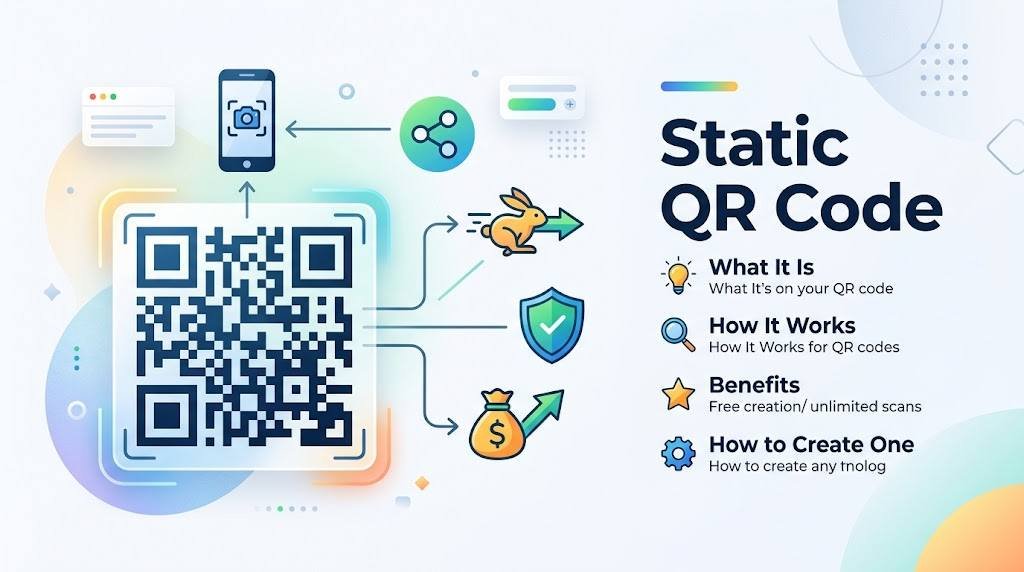
A Static QR Code is a way to share information online without needing people to type long URLs, contact details, or other data by hand. Whether you wish to share a website link, connect people to a Wi-Fi network, show contact information, or promote a business, Static QR Codes provide an accessible solution. Unlike dynamic QR codes, a Static QR Code stores destination information directly in the encoded pattern, making it useful for many everyday uses.
With more people using smartphones, QR codes have become a primary tool for businesses, marketers, restaurants, event organizers, teachers, and individuals. People can scan a QR code with a smartphone camera or QR scanning app to instantly see the information it contains.
If you want a way to create a QR code that does not need ongoing subscription payments or a tracking platform, learning about Static QR Codes can help you pick the right option for your needs. Still, it is important to know how Static QR Codes work, what information they can store, and why changing their destination after they are made is usually not possible.
In this guide for QRCodeQuickly.com, we will explore what a Static QR Code is, how it works, its advantages and limitations, practical use cases, security matters, and how to create one effectively.
What Is a Static QR Code?
A Static QR Code is a type of Quick Response code that holds information directly inside its encoded pattern. Once a Static QR Code is produced and printed or shared, the information inside that Static QR Code usually cannot be edited without making a completely new QR code.
For example, if you create a Static QR Code that contains your website address, that URL is built into the QR pattern itself. When a person scans the Static QR Code, the device reads the encoded data and opens the destination as long as the content and scanning method support it.
Key Differences from Dynamic Codes
Static QR Codes differ from dynamic QR codes, which normally use an editable destination or redirect service. A Dynamic QR Code can often be updated through the provider’s platform without replacing the physical code.
According to QRCodeQuickly.com, Static QR Codes cannot be changed or updated after they are created and they do not give scan statistics such as the number of scans, locations, or dates. Supported Static QR Code options include website links, email, text, calls, SMS, WhatsApp, Wi-Fi, vCards, and events.
How Does a Static QR Code Store Information?
A Static QR Code contains a pattern of light and dark modules arranged in a square. A compatible scanner reads this pattern and decodes the information.
Encoded Data Types
- Website URLs
- Plain text
- Contact details (vCard)
- Wi-Fi connection information
- Email addresses and predefined messages
- Telephone numbers
- Event information
The amount of information a Static QR Code can hold depends on the QR code’s version, encoding mode, and error correction level. Complex content requires a larger, denser QR pattern. For website links, a shorter URL helps keep the encoded data compact, making the Static QR Code easier to scan when printed at smaller sizes.
How Does a Static QR Code Work?
Understanding how a Static QR Code works can help you use it effectively for personal or business purposes. The process generally follows five simple steps:
Step 1: Enter Your Information
First, choose the type of content you want to encode—such as a website address ([https://example.com](https://example.com)), a text message, contact card details, or Wi-Fi credentials.
Step 2: Generate the QR Code
The QR generator turns your information into a distinct visual pattern containing the exact data needed for a scanner to decode it.
Step 3: Download or Save the Code
After the Static QR Code is generated, you save it in a supported file format. PNG is ideal for digital and standard print applications, while SVG vector graphics are best when you need infinite scalability.
Step 4: Share or Print the Code
Add the QR code to a flyer, business card, brochure, menu, poster, website, or other suitable material. Always test the QR code across multiple compatible devices before wide distribution.
Step 5: Scan the Code
A user points their smartphone camera or QR scanning app at the code. The device decodes the pattern and prompts the user with the relevant action, such as opening a website or adding a contact.
Static QR Code vs. Dynamic QR Code
Both static and dynamic QR codes help people access information, but they differ significantly in how the destination data is managed.
| Feature | Static QR Code | Dynamic QR Code |
| Data Storage | Encoded directly into the QR pattern. | Uses a shortened redirect URL managed by a server. |
| Editing Destination | Cannot be changed after generation. | Can be updated at any time via a dashboard. |
| Printed Code Replacement | Required if destination content changes. | Not required; physical code remains the same. |
| Scan Analytics | No built-in tracking available. | Provides data on scan counts, locations, and dates. |
| Internet Requirement | Depends on content (e.g., Wi-Fi works offline). | Requires an internet connection to process redirect. |
| Best Used For | Permanent, fixed information. | Marketing campaigns, seasonal links, and tracking. |
Which Type Should You Choose?
- Choose Static when the information is permanent (like a Wi-Fi setup or business card) and you do not need scan analytics.
- Choose Dynamic when running short-term promotional campaigns, managing frequently updated destinations, or measuring ROI.
Benefits of Using a Static QR Code
1. No Destination Editing Required
Once generated, the encoded data remains permanently fixed. For stable details like a business card or permanent product label, this reliability is convenient.
2. Simple for Everyday Use
Static QR codes require no complex workflows, hosting accounts, or platform management. You simply encode the data and distribute the image.
3. Ideal for Permanent Printed Materials
Materials designed to last for years benefit from static codes, including:
- Business cards with permanent phone numbers.
- Fixed product labels and instruction manuals.
- Informational signage or posters.
4. Supports Multiple Content Types
Platforms like QRCodeQuickly.com allow static codes to serve diverse functions—from initiating WhatsApp chats to sharing event details—without requiring a URL redirect.
5. Customizable Visuals
Generators allow customization of colors, module shapes, and output file types. While visual customization helps align with brand identity, maintaining high contrast remains crucial for scannability.
6. Effective for Offline Distribution
Static QR codes bridge offline print media with digital interaction, allowing users to instantly pull up data without manual typing.
Limitations of a Static QR Code
1. Uneditable Information
If your destination URL changes from [https://example.com/menu-a](https://example.com/menu-a) to [https://example.com/menu-b](https://example.com/menu-b), your static QR code will break unless a server-side redirect is configured on your website.
2. No Built-In Scan Tracking
You cannot track scan counts, user demographics, device types, or peak usage times natively through a static code.
3. Hard-to-Fix Errors
Typographical errors in phone numbers or URLs become permanent once printed. Large print runs with errors result in wasted paper and money.
4. External Dependency Risks
Even though the QR code pattern stays valid forever, the underlying website it points to can still go offline or be deleted.
9 Common Types of Static QR Codes
1. Static URL QR Code
Sends users directly to a designated webpage, such as a company homepage, landing page, or online portfolio.
2. Static Text QR Code
Stores raw plain text inside the pattern. Scanners display the text directly without needing an internet connection.
3. Static Email QR Code
Pre-fills a recipient address, subject line, and body text in the user’s default email client upon scanning.
4. Static Phone Call QR Code
Prompts the user’s phone to dial a predefined telephone number instantly.
5. Static SMS QR Code
Pre-populates a phone number and short message in the user’s text messaging app.
6. Static WhatsApp QR Code
Generates a direct chat link to initiate a conversation on WhatsApp.
7. Static Wi-Fi QR Code
Encodes network credentials (SSID and password) to allow devices to connect to wireless networks automatically without typing passwords.
8. Static vCard QR Code
Encodes complete personal contact cards (Name, Title, Phone, Email, Address) that users can save directly to their phone contacts.
9. Static Event QR Code
Shares event names, dates, times, and locations, allowing users to import details directly into their calendar apps.
How to Create a Static QR Code Using QRCodeQuickly.com
Step 1: Open the Generator
Navigate to the Static QR Code Generator page on QRCodeQuickly.com.
Step 2: Select a QR Code Type
Choose your intended format (e.g., Link, Text, Email, Wi-Fi, vCard).
Step 3: Enter Accurate Information
Input your data carefully. Double-check spelling, domain paths, phone numbers, and formatting.
Step 4: Customize the Design
Apply custom colors or module styles while maintaining high contrast against the background and keeping the quiet zone clear.
Step 5: Generate the Code
Process your data through the generator to construct the QR module pattern.
Step 6: Download Your File
Select your preferred file format—use PNG for web/standard print or SVG for scalable high-resolution vector printing.
Step 7: Test Before Printing
Scan the finished code on multiple devices under realistic lighting conditions before printing at scale.
Best Practices for Scannable Static QR Codes
- Maintain Strong Contrast: Always use a dark QR code on a light background.
- Protect the Quiet Zone: Keep the border space around the QR code free of text, logos, or graphics.
- Scale Appropriately: Print larger codes if users will scan them from a distance.
- Avoid Pattern Distortion: Never stretch or alter the aspect ratio of the QR square.
- Ensure Mobile Optimization: Make sure linked websites are responsive and load quickly on mobile devices.
Security Considerations
- Verify Destinations: Inspect destination URLs before entering credentials or sensitive data on linked sites.
- Inspect Public Codes: Beware of physical tampering where malicious stickers are placed over original QR codes in public places.
- Protect Credentials: Avoid publicly displaying static Wi-Fi or vCard codes containing confidential passwords or private personal data.
- Use HTTPS Links: Always encode secure
https://web links to ensure encrypted communication.
Practical Applications
For Businesses
- Business Cards: Attach a vCard code for instant contact saving.
- Product Packaging: Link directly to digital user manuals or ingredient lists.
- Restaurant Menus: Direct customers to a hosted digital menu.
- Marketing Print: Drive traffic from flyers and posters to fixed landing pages.
For Personal Use
- Contact Sharing: Display a personal vCard at networking events.
- Home Wi-Fi: Allow houseguests to connect to your Wi-Fi instantly.
- Resumes & Portfolios: Link recruiters directly to your personal website or work samples.
Frequently Asked Questions (FAQ)
1. What is a static QR code?
A static QR code encodes data directly into its visual pattern. Once generated, the stored information cannot be changed without creating a new code.
2. Does a static QR code expire?
No. Static QR codes do not have an expiration date and will work indefinitely as long as the underlying content or destination URL remains active.
3. Can I edit a static QR code after printing?
No. Because the data is hard-coded into the visual design, you cannot edit the destination without generating and printing a new code.
4. Does a static QR code provide scan tracking?
No. Static QR codes do not natively track scan analytics.
5. Is a static QR code free to create?
Yes, many generators—including QRCodeQuickly.com—offer free options to generate and download static QR codes in PNG or SVG formats.
Conclusion
A Static QR Code is an efficient, permanent solution for sharing fixed information through a scannable pattern. Whether sharing website links, Wi-Fi access, contact cards, or text notes, static codes provide immediate convenience without requiring subscription management platforms.
Before publishing your code, double-check your data, ensure high design contrast, preserve the quiet zone, and test the code across multiple devices. Visit QRCodeQuickly.com today to start creating your custom static QR codes.