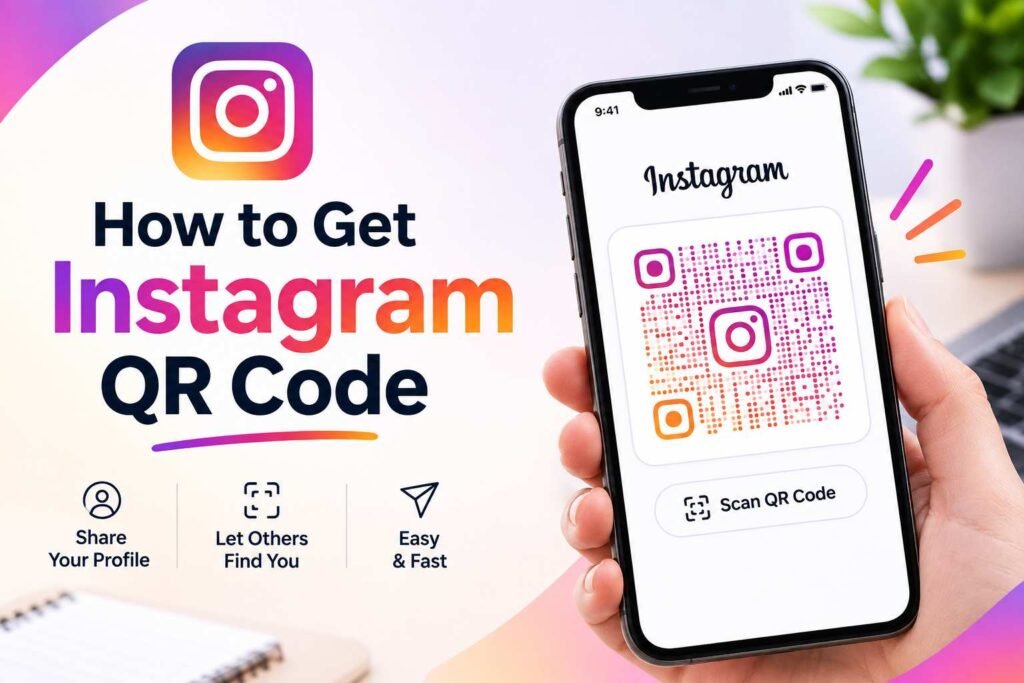
If you are wondering how to get instagram qr code, Instagram provides a simple way to create and share a custom QR code that directs people straight to your profile. Instead of typing your username or searching for your account manually, someone can scan your Instagram QR code and quickly access your profile. This can be particularly useful for businesses, creators, influencers, professionals, and anyone who wants to make their Instagram account easier to find.
Instagram QR codes can be shared digitally or displayed in the physical world. You can show one on your phone screen, add it to a business card, print it on a poster, place it on product packaging, or include it in marketing materials. The process is straightforward, though the exact location of the feature may vary slightly depending on your Instagram app version and device.
What Is an Instagram QR Code?
An Instagram QR code is a scannable visual code directly connected to an Instagram profile. When another person scans it using a phone camera or a QR scanner app, they are instantly directed to the associated Instagram profile.
QR codes are made up of matrix patterns that can be read by digital cameras. Instead of requiring users to remember or manually type a complex username, the code provides a seamless shortcut to access your account.
For businesses, an Instagram QR code is a powerful marketing tool. A restaurant can display one near the entrance, while a clothing store can place one on product packaging. Freelancers and creators can also use QR codes to make their social media profiles effortless to share during in-person interactions.
How to Get Instagram QR Code From the Instagram App
The easiest method to locate and generate your code is directly within the mobile application.
Step 1: Open Instagram
Launch the Instagram app on your Android phone or iPhone. Make sure you are signed in to the specific account for which you want to create the code.
Step 2: Go to Your Profile
Tap your profile picture or profile icon in the bottom-right corner to open your Instagram profile page.
Step 3: Open the Profile Menu
Look for the menu option on your profile. Depending on your version of Instagram, you can either tap the Share Profile button directly on your profile grid or tap the three horizontal lines (hamburger menu) in the top-right corner.
Step 4: Select the QR Code Option
Select the QR Code or Share Profile option. Once selected, Instagram will display your official account QR code on the screen.
Step 5: Save or Share It
Once your code appears, tap the options to download it to your phone’s photo gallery or share it directly to other apps. Always scan your code yourself once to verify it opens the correct profile before sending it out.
How to Get Instagram QR Code on iPhone
iPhone users can generate their profile QR code in just a few taps using the iOS application:
- Open the Instagram app on your iPhone and navigate to your main profile page.
- Tap Share Profile or open the top-right menu to select QR Code.
- Customize the background style (such as emojis, colors, or selfies) if prompted.
- Tap Save Image to export it to your Photos app or use the native Share Sheet to send it to others.
Note: If you plan to use the code for printing purposes, save the highest-resolution version available rather than relying on a low-resolution screenshot.
How to Get Instagram QR Code on Android
The process on Android devices follows the exact same pattern:
- Open Instagram on your Android device and tap your profile icon.
- Select Share Profile or choose QR Code from the profile menu.
- Tap the Download button to save the image directly to your device storage.
Once saved, you can attach the image file to emails, print materials, or digital promotional posts.
How to Get Instagram QR Code Without the App
You can also create a QR code for your Instagram profile without using Instagram’s built-in feature. This requires your public Instagram URL and a third-party QR code generator.
- Obtain your full Instagram profile URL (e.g.,
[https://www.instagram.com/yourusername/]. - Visit a trusted online QR code generator.
- Paste your profile URL into the link field.
- Download the newly generated QR code file.
This method is ideal when you need custom branding options, such as unique color palettes, custom brand logos embedded in the center, framing options, or high-resolution vector downloads (like SVG or EPS files).
How to Find Your Instagram Profile Link
Knowing your profile link is essential if you choose to build a QR code using an external generator.
Your web URL follows a standard format:
[https://www.instagram.com/yourusername/]
You can quickly copy your profile link by logging into Instagram on a desktop browser or by tapping Share Profile > Copy Link inside the mobile app. Always double-check that your username is spelled correctly in the link.
How to Share Your Instagram QR Code
Once you know how to get instagram qr code, the next step is deciding where and how to distribute it.
Share It Digitally
Send your QR code through messaging applications, email signatures, digital presentations, or on other social media platforms to help cross-promote your presence.
Add It to a Business Card
A QR code turns a physical business card into an interactive portal. Leave adequate white space around the printed code to ensure camera lenses can detect it easily.
Print It on Marketing Materials
Place your QR code on flyers, brochures, posters, window displays, product packaging, receipts, or table tents.
Display It at Live Events
Vendors, creators, and event speakers can show a QR code on a tabletop sign or booth backdrop, allowing visitors to follow the account on the spot.
How to Scan an Instagram QR Code
Knowing how to scan a code is just as important as knowing how to create one:
- Open your smartphone’s built-in Camera app.
- Point the camera steadily at the QR code.
- Tap the link notification banner that pops up on your screen to open the profile in Instagram.
If your native camera does not scan it automatically, ensure QR scanning is enabled in your camera settings or use a dedicated scanning app.
Can You Scan an Instagram QR Code From a Screenshot?
Yes. If someone sends you an image of a QR code:
- iPhone: Open the image in your Photos app, long-press the QR code area, and tap the web link option that appears.
- Android / Google Photos: Open the screenshot and tap the Google Lens icon to read the code directly from your gallery.
Can You Customize an Instagram QR Code?
Instagram allows basic native customization (switching between background colors, emoji patterns, or selfie filters).
If you use a third-party generator, you can customize:
- Color palettes and gradients
- Foreground and background shapes
- Custom center logos or brand icons
- Framing text (e.g., “Scan to Follow!”)
- Export file formats (PNG, SVG, PDF)
Tip: Avoid over-customizing high-contrast areas, as overly complex designs can prevent cameras from reading the code.
How to Get a High-Quality Instagram QR Code for Printing
To prevent a printed code from appearing pixelated or unscannable:
- Download the QR code at a high resolution (at least 300 DPI for print).
- Use vector formats (SVG or EPS) when printing large banners or posters.
- Conduct a test print at actual size and scan it with multiple phone models before launching a full print run.
Best Practices for Instagram QR Codes
Follow these core guidelines to ensure your QR code works reliably:
- Use High Contrast: Stick to a dark QR code pattern over a light or white background.
- Maintain a Quiet Zone: Leave empty space around the outer border of the code so scanners can distinguish it from nearby graphics.
- Test the Link: Always scan the code to verify it lands on the correct, active account.
- Size Appropriately: Ensure the physical size matches the scanning distance. Small cards require a minimum size of 0.8 x 0.8 inches (2 x 2 cm), while event posters require larger dimensions.
Why Use an Instagram QR Code?
- Convenience: Eliminates typing mistakes and manual searching.
- Instant Conversions: Connects real-world foot traffic directly to your digital marketing funnel.
- Versatility: One generated code can be deployed across both print media and digital screens.
Instagram QR Codes for Businesses, Creators, and Personal Use
- For Businesses: Display codes on checkout counters, packaging, and menus to gain local followers and drive repeat customer engagement.
- For Creators & Influencers: Add codes to portfolio cards, media kits, or presentation slides during networking events.
- For Personal Use: Easily share your personal account at social gatherings, school events, or community meetups without needing to spell out complex handles.
Troubleshooting Common Issues
Do Instagram QR Codes Expire?
No. Standard QR codes linked to your profile link do not expire. However, if you change your Instagram username, your profile URL changes, which will render old QR codes inactive.
Why Is My QR Code Not Working?
- Low Contrast: The pattern is too light against the background.
- Blurriness: The image resolution is too low.
- Obstructions: Graphics or text overlap the code boundary.
- Outdated Link: The Instagram handle associated with the code was modified.
Frequently Asked Questions
How do I get my Instagram QR code?
Open the Instagram app, go to your profile, and select Share Profile or choose QR Code from the top-right menu to view and save your official code.
Can I make an Instagram QR code for free?
Yes. Instagram’s built-in profile QR tool is completely free, and numerous free third-party QR code generators exist online.
Can someone scan my Instagram QR code without following me?
Yes. Scanning the code simply opens your public profile. Whether they can view your private posts or need to submit a follow request depends entirely on your account privacy settings.
Can I print my Instagram QR code on physical items?
Yes. You can print your QR code on business cards, brochures, flyers, signs, and product packaging.
Can I make a QR code for someone else’s Instagram account?
Yes. You can copy any public Instagram profile link and paste it into a third-party QR code generator to create a working code.
Does changing my Instagram username break my existing QR code?
Yes. Changing your username alters your profile URL. Any custom or printed QR codes generated using your old URL will stop directing users to your profile.
Conclusion
Learning how to get instagram qr code provides a fast, reliable method to share your social media presence both online and offline. Instead of asking people to manually search for your username, you can present a scannable code that takes them straight to your page in seconds.
Whether you rely on Instagram’s built-in tools or prefer a customized design from an external generator, keep image clarity, strong color contrast, and regular testing in mind to get the best results from your QR code.